Find the RDC connection.
Remove the seat and check the rear electronics area. Match the connector shape, pins and locking tab with your supplied adapter. Do not force a connection.
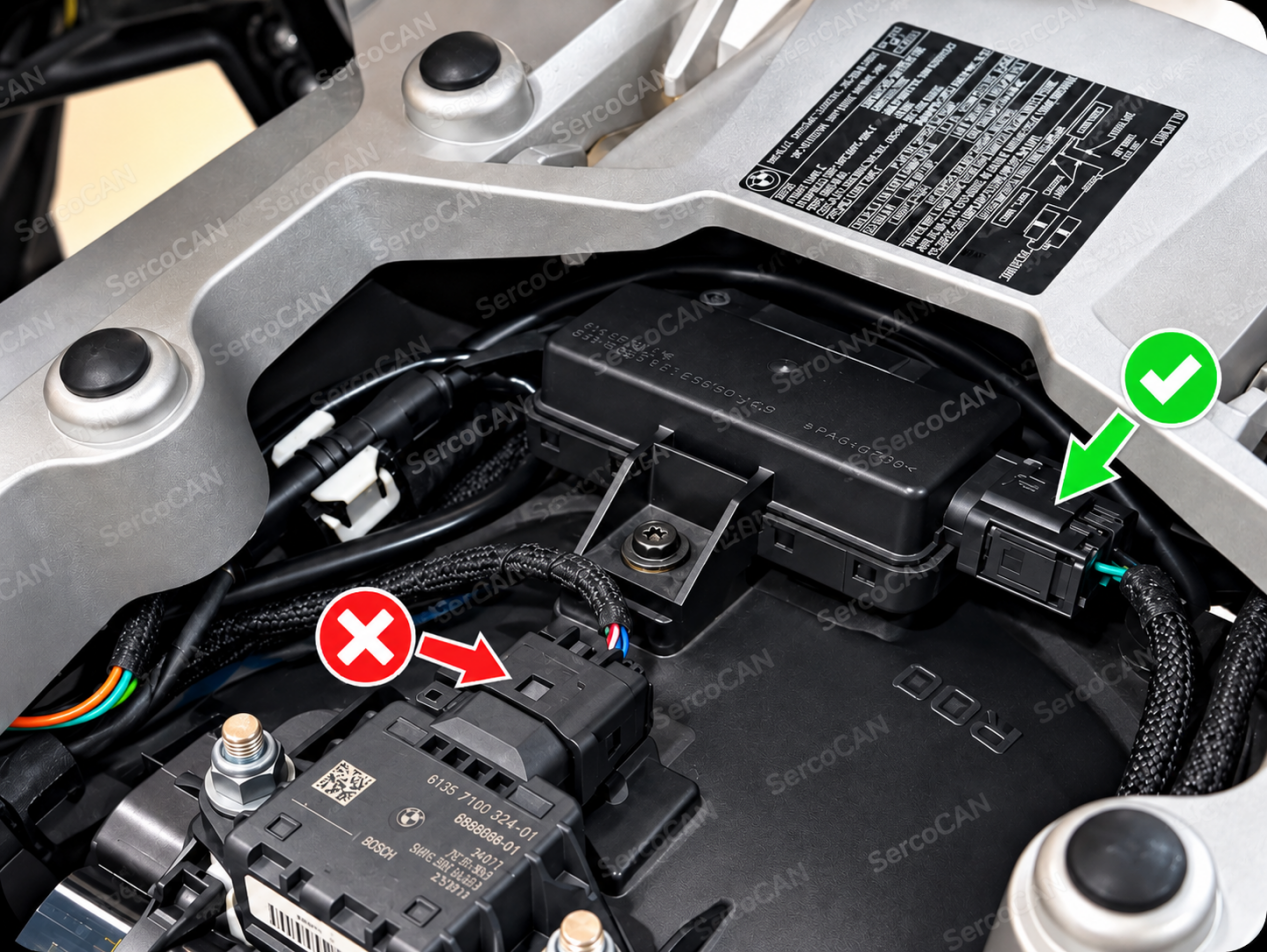
Choose the correct inline path.
With RDC module
Unplug the original module connector and insert the adapter between the motorcycle harness and the RDC module. Connect the adapter’s round plug to SercoCAN.
Without RDC module
Remove the matching original resistor plug or blanking cap, insert the adapter and refit the removed part to the remaining adapter connector. Connect the round plug to SercoCAN.
Connect lights and secure the harness.
Keep the two main-light connections and two auxiliary-light connections in their labelled groups. Secure the controller and cables away from heat, sharp edges and moving parts, and make sure the seat cannot pinch the wiring.
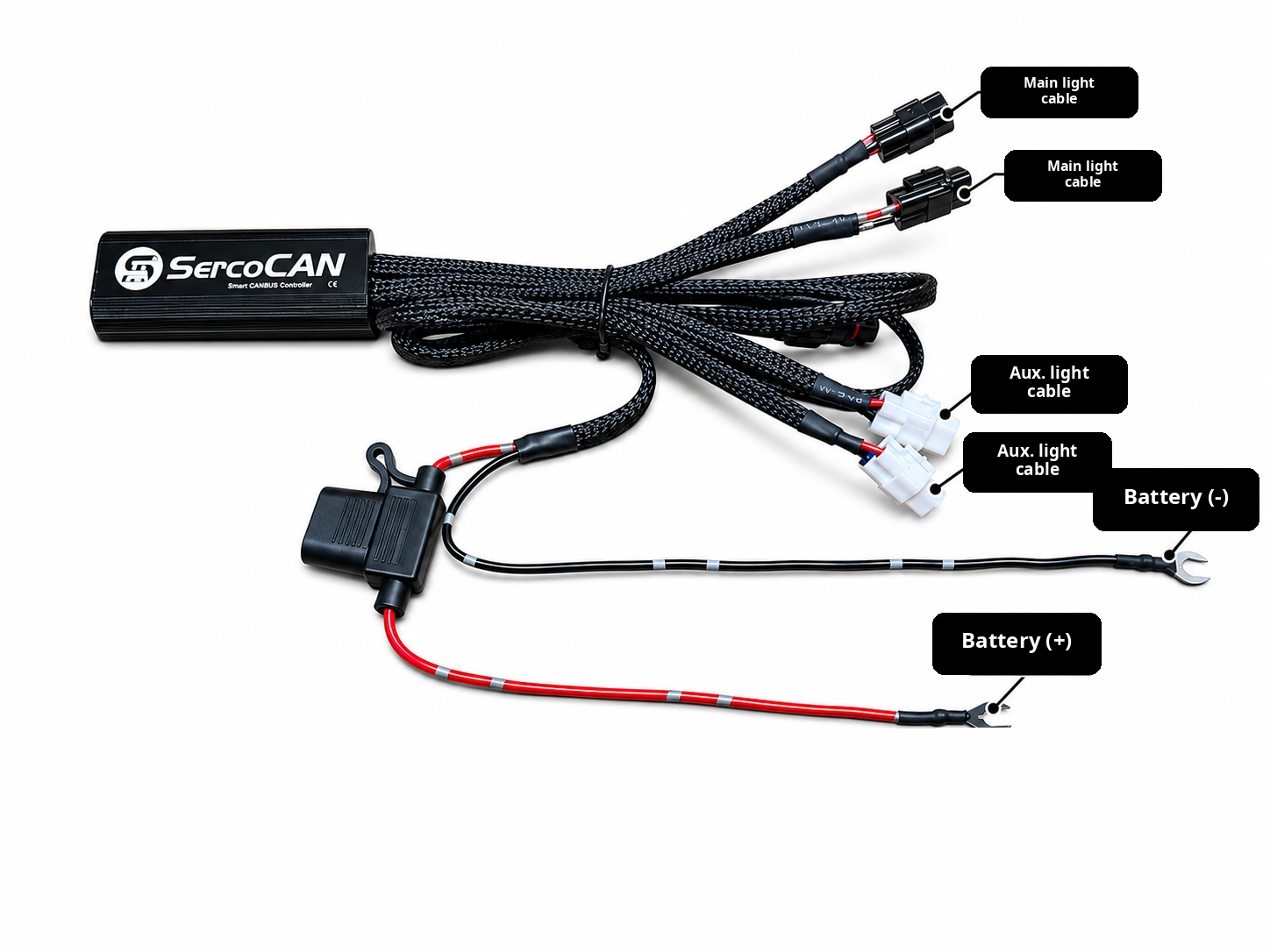
Restore power and check operation.
Reconnect the fused positive lead with the original positive lead first, then reconnect the negative leads. Follow the terminal polarity markings; do not rely on wire colour alone.
Check locking tabs, battery terminals and cable routing. Switch on the ignition, test the light groups and controls separately, and check for new fault warnings before refitting the seat.